PSS®E smiby
Last updated: 25 June 2026
Version: v3
Software required:
Background
PSS®E smiby provides a standardized Thévenin equivalent representation which helps you set up your PSS®E model in gridmo. To use the PSS®E smiby tool, you must have the following information:
- Connection point voltage
- Connection point bus number in PSS®E model
The provided PSS®E smiby script will automatically add a Thévenin equivalent representation into your SMIB model.
Although it is not required to use PSS®E smiby (unlike PSCAD™ smiby for PSCAD™ simulations), it is recommended. The purpose of PSS®E smiby is to eliminate any avoidable and time-consuming errors related to issues in your Thévenin equivalent representation (e.g. Thévenin source impedance abnormally high).
In gridmo, the Thévenin equivalent impedance is modeled in the branch ZTHEV rather than within the internal source impedance of the Thévenin equivalent generator. This design choice ensures that users have direct access to VTHEV. If the internal source impedance were set to a non-zero value, VTHEV would not be easily accessible.
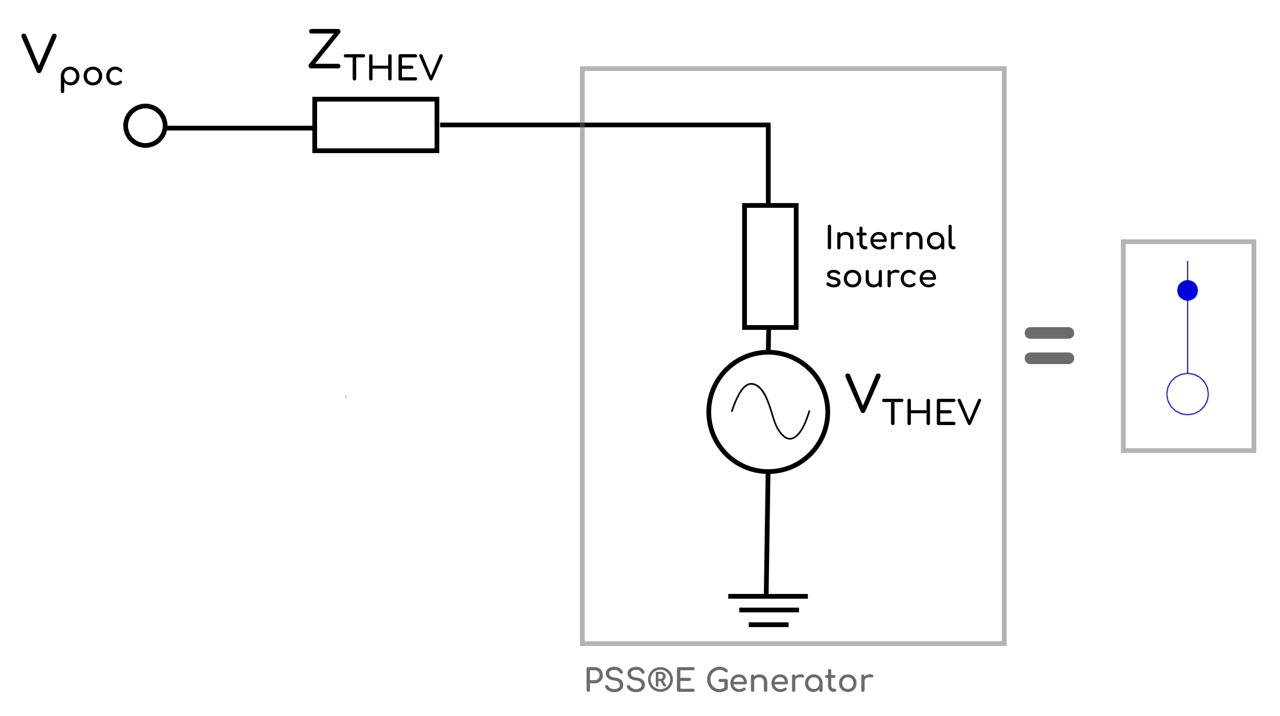
When using gridmo, the impedance of the branch ZTHEV will be adjusted according to site-specific SCR and X/R.
Adding smiby into a model
Step 1: Remove existing Thévenin equivalent representation
Open the PSS®E .sav case for your project and remove any existing external grid representation at the connection point. If a slack bus is already present in the case, the PSS®E smiby script will issue a warning—the slack bus must be deleted so it can be replaced with the smiby Thévenin equivalent source.
For example, to add PSS®E smiby to the WECC solar case, first remove the existing Thévenin equivalent source representation so that the SMIB model terminates at the POC bus.
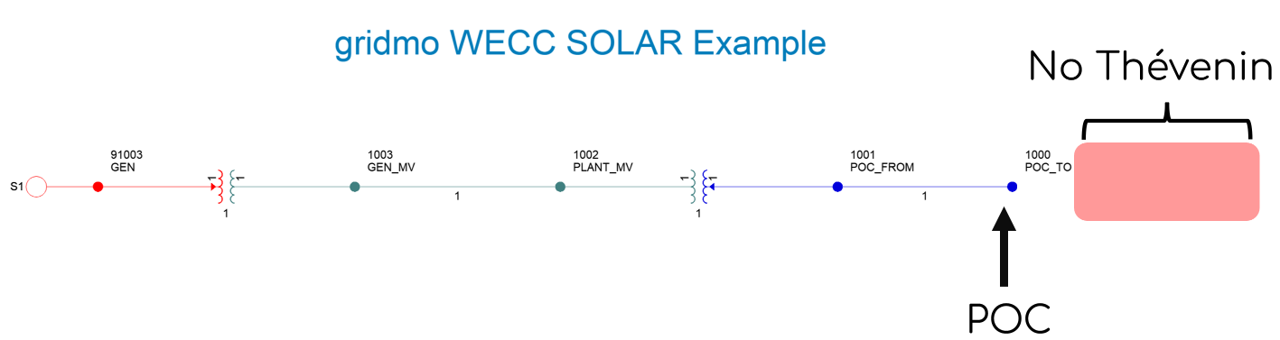
The existing Thévenin equivalent source representation in the PSS®E WECC solar model is identical to PSS®E smiby. This example is provided to demonstrate the process of adding the Thévenin equivalent source representation to your project model.
Step 2: Run smiby PSS®E python script
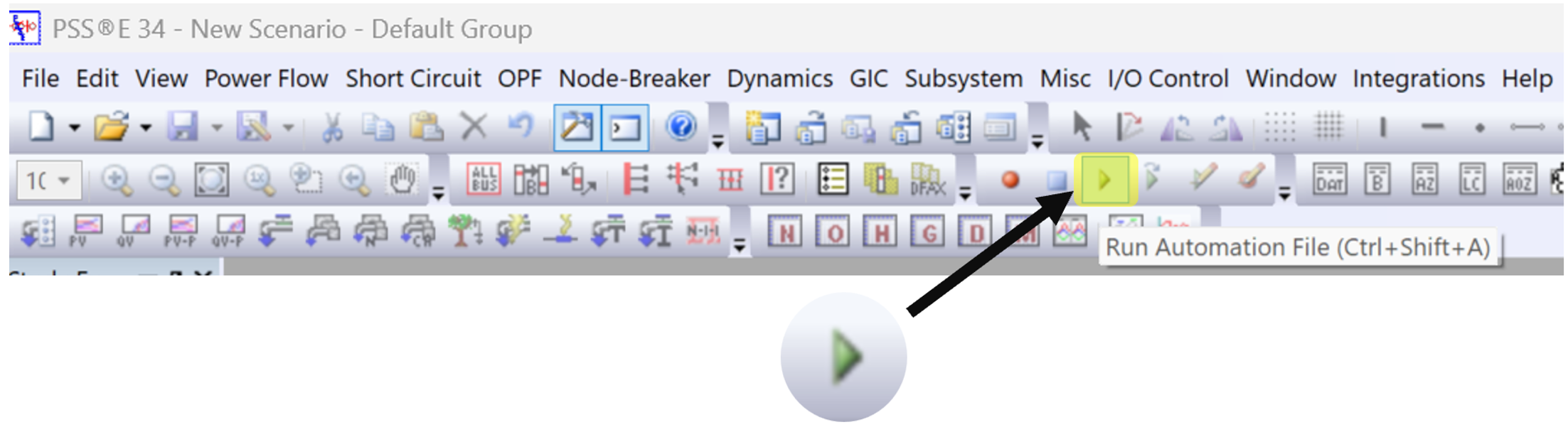
Click the 'Run Automation File' button as shown below then navigate the directory to "smiby-psse.py".
Step 3: Enter connection point details
Upon running the 'smiby-psse.py' script, a summary of the buses in your PSS®E .sav case will be displayed.
Next, the PSS®E output bar will prompt: "Enter point of connection voltage [kV]".
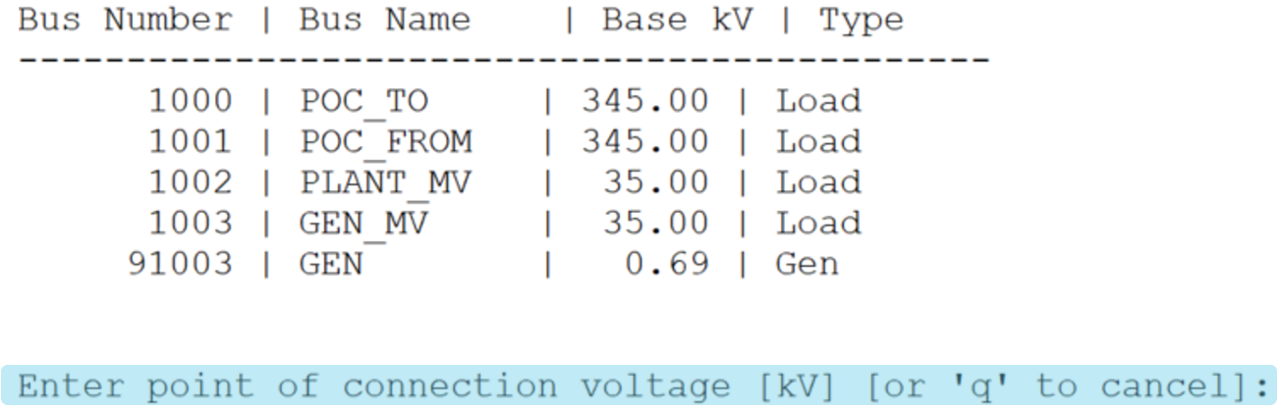
The user should enter the POC voltage into the Terminal Read window that appears:

The PSS®E output bar will then ask, "Enter point of connection bus number". Another Terminal Read window will appear for the user to enter the response.
Enter these two inputs as prompted and the PSS®E smiby Thévenin equivalent source will be added to your SMIB model at the POC bus.
Step 4: Check representation
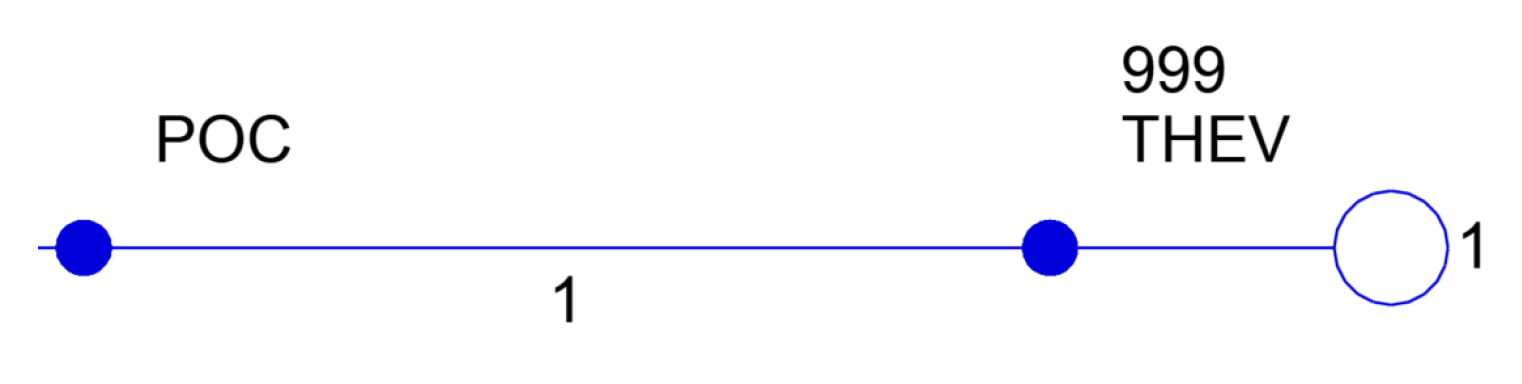
The script will automatically grow the .sld at the POC bus by 2 levels. The branch from POC to THEV will be visible and the newly created Thevenin equivalent voltage source. Check the script has worked as expected.
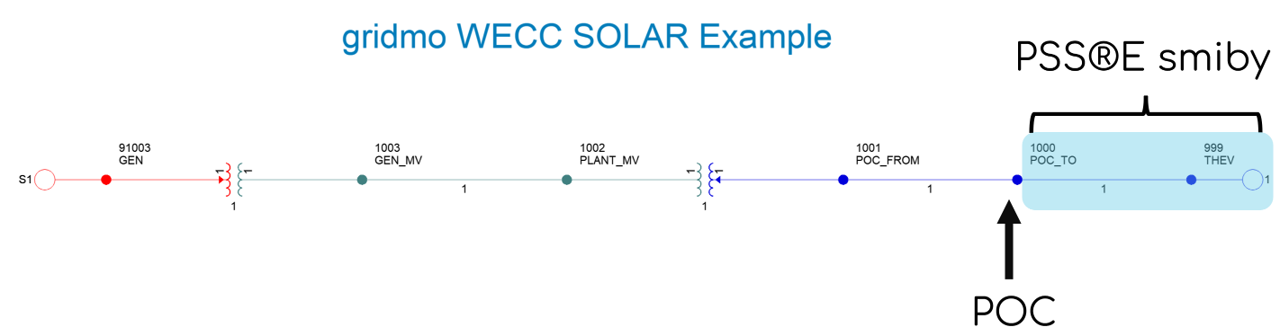
By default, the PSS®E smiby Thévenin equivalent source is set to be infinitely strong (negligible impedance).
Revision history
Version 3 | 25 June 2026
- Line X (pu) value of ZTHEV set to 0.00011 instead of 0.0001.
- X-Zero (pu) value of ZTHEV set to 0.00011 instead of 0.0001.
Version 2 | 30 March 2026
- Moved the encoding declaration to the first line (before any non‑ASCII text). This avoids the non‑ASCII character error that affected some users.
Version 1 | 15 February 2026
- First release.