Reuse saved results
Overview
The gridmo Engine automatically saves power systems software results when running simulations. This data is stored from recent simulations up to a predefined total storage size. When you enable "Reuse saved results" and launch a new simulation to the same Engine, results saved from a previous simulation can be reused for plotting and analysis if:
- The results are available in the data storage, and
- You are launching a simulation which contains power system software tasks which are the same as a previously launched simulation.
By avoiding the rerunning of power systems software where possible, outputs can be generated faster.
Upgrading the Engine version clears the storage of saved results.
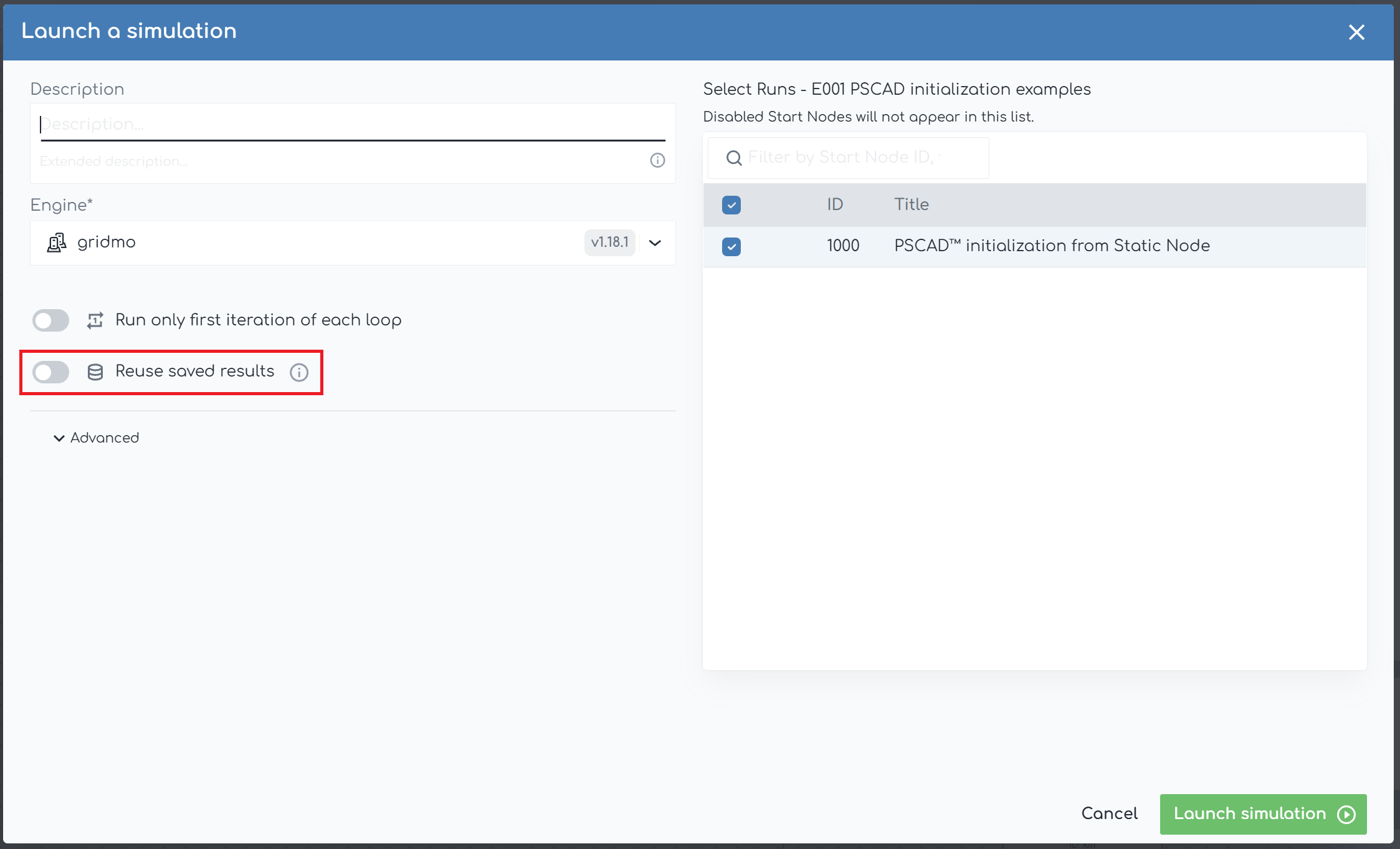
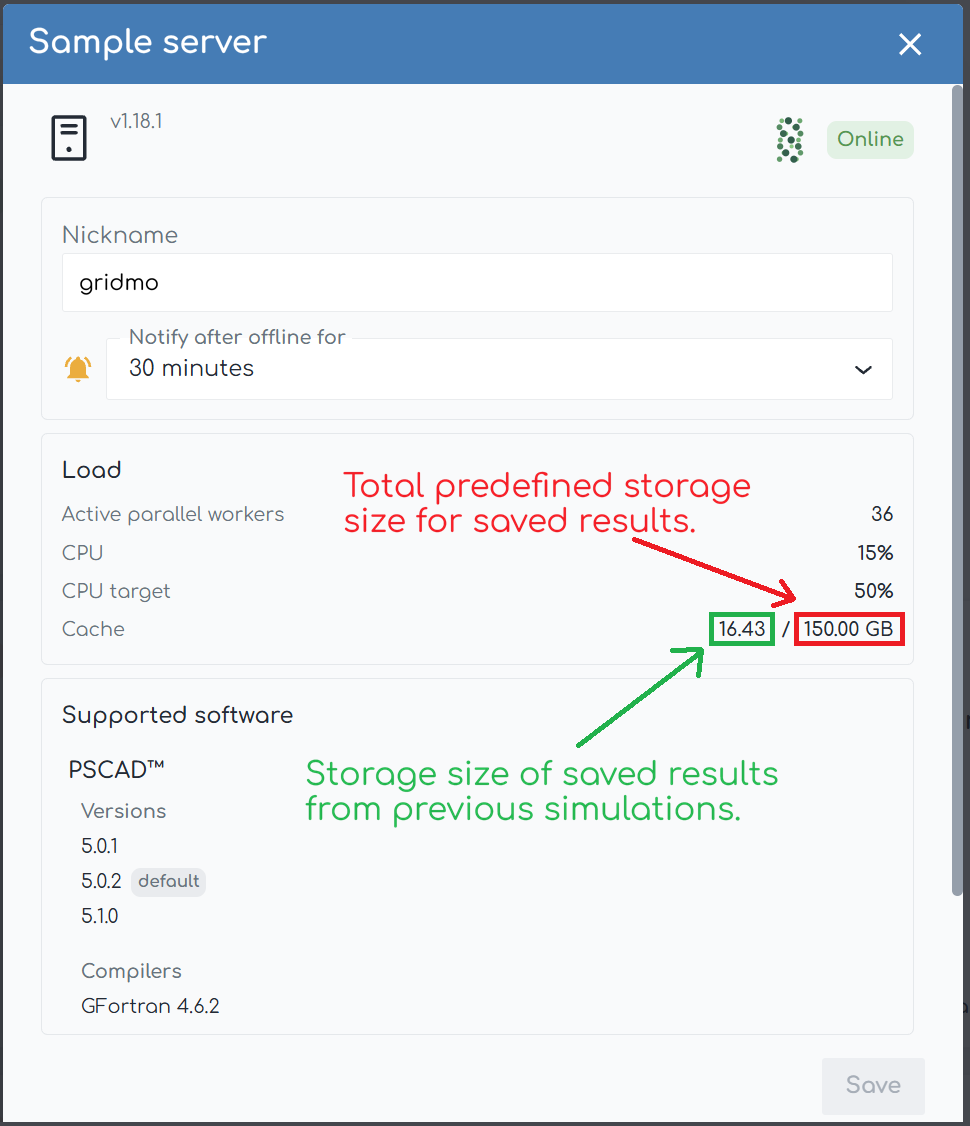
This concept is an automated equivalent of a practice power system engineers are already using. For example:
- An engineer runs a collection of power system software simulations in PSS®E and PSCAD™ (not via gridmo).
- The engineer then generates benchmarking plots using results from the PSS®E and PSCAD™ simulations (e.g. using saved .out files)
- The engineer then finds an issue in the PSCAD™ model. The engineer fixes the issue and then recognizes that they only need to rerun the PSCAD™ simulations.
- The engineer reruns the PSCAD™ simulations.
- The engineer then generates benchmarking plots using a combination of results from the previously run PSS®E simulations and from the newly run PSCAD™ simulations.
In this example, the engineer has manually recognized that they can 'reuse saved results' from the previously run PSS®E simulations.
Determinism
The effectiveness of reusing saved results relies on the assumption that power system software simulations are deterministic (i.e. a network contingency test run on Monday morning should yield identical results to an identical test run on Monday afternoon).
However, we have observed that power system software simulations can be non-deterministic (i.e. results generated from identical power systems software simulation results can be different). Given we don't have access to the source code of the power systems software packages with which gridmo integrates, we are unable to find the exact cause of the non-determinism. We do however note the following:
- Typically when non-determinism was observed, the results have typically only been slightly different and not functionally different.
- Rarely when non-determinism was observed and the difference in results was very large, it occurred when there were simulation issues present such as calculation non-divergence or external library/dependency problems.
Based on observed non-determinism, we recommend that you only enable "Reuse saved results" where you have high confidence in the determinism of your simulations/models. We have therefore intentionally chosen that this setting is not enabled by default. Additionally, we recommend that this setting is used for testing and disabled for simulations intended for submission.
Checklist before reusing saved results
Enabling "Reuse saved results" does not guarantee that previous results will be used for plotting and analysis. Before we reuse saved results, a collection of automated checks must be satisfied. Each check represents an item which could change the results and therefore require that new results be regenerated.
The following Nodes are currently supported:
- PSS®E Static
- PSS®E Dynamic
- PSCAD™
- PowerFactory Static
- PowerFactory Dynamic
- Data
All Nodes
| Check | Details |
|---|---|
| Project settings | For example:
|
| Node data | For example:
|
| Dependent Nodes | All dependent Nodes must have the same results. For example, a PSCAD™ Node which is dependent on a PSS®E Static Node also checks the PSS®E Static Node. |
| Engine version | gridmo Engine version (e.g. v1.5.3). |
PSS®E
| Check | Details |
|---|---|
| Engine settings | gridmo Engine settings which may affect the simulation results. For example:
|
| Unique identifiers of the software installation | Information which can determine and verify the software installation used for the simulation. For example:
|
| Python version used to interface with the power systems software version | The python interface version must match (e.g. Python 3.11 is required to interface with PSS®E v36.2.0). |
| Input models and supporting files | All input model and supporting file data must match. For example:
|
PSCAD™
| Check | Details |
|---|---|
| Engine settings | gridmo Engine settings which may affect the simulation results. For example:
|
| Unique identifiers of the software installation | Information which can determine and verify the software installation used for the simulation. For example:
⚠️ Warning: Running Fortran medic will cause a change to ProductsList.xml which will invalidate PSCAD™ caches |
| Input models and supporting files | All input model and supporting file data must match. For example:
|
PowerFactory
| Check | Details |
|---|---|
| Engine settings | gridmo Engine settings which may affect the simulation results. |
| Unique identifiers of the software installation | Information which can determine and verify the software installation used for the simulation. For example:
|
| Input models and supporting files | All input model and supporting file data must match. For example:
|
If you are modifying something which is not in the checklist and which will change the simulation results, you must disable "Reused saved results".
Increasing the saved results storage size
What is the benefit of increasing the saved results storage size?
This increases the amount of storage space available for saving simulation results, increasing the liklihood that results can be reused when launching future simulations. This is very handy when you are wanting to make a minor plotting change to a simulation, with no change to the model or simulation methodology.
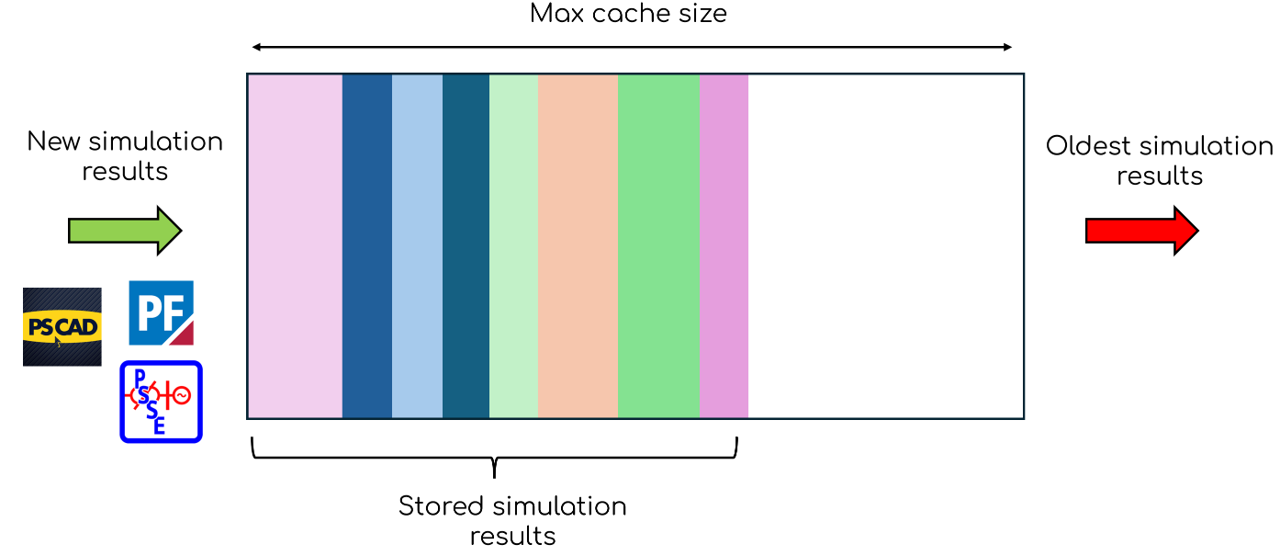
How to increase the saved results storage size?
- Open the Engine settings window.
- Select the 'Advanced' tab.
- Select the input field for
Max cache sizeand enter the new value. Note, this is the maximum amount of hard drive space (GB) that can be allocated to storing power systems results for caching. We recommend setting the cache size to at least 50 GB. The larger you can make it (subject to your available hard drive space) the longer saved results will be available for future simulations.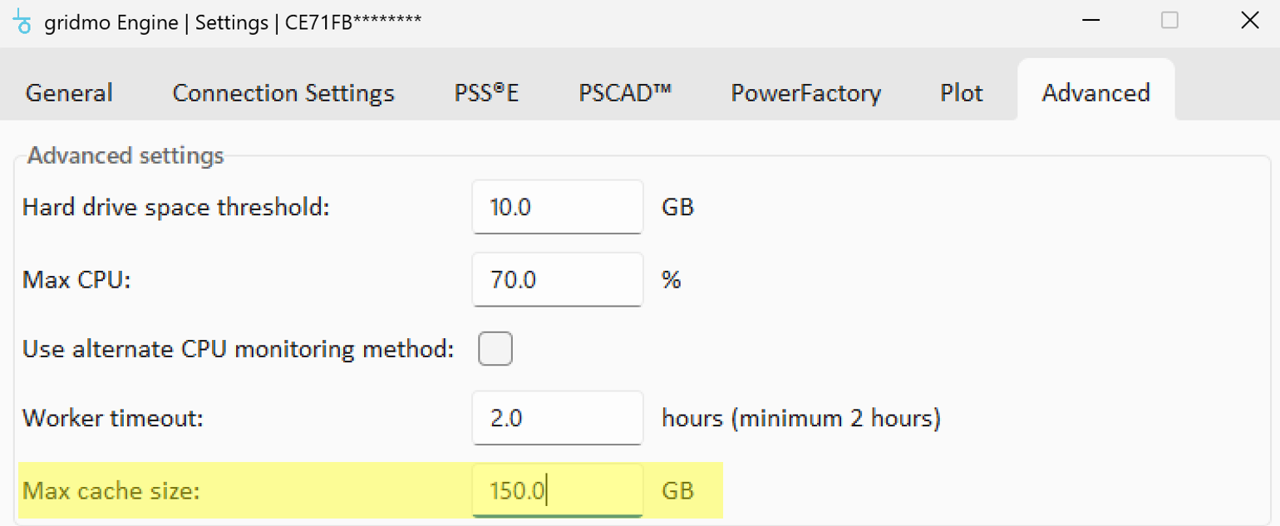
- Save your settings changes.
- Restart the gridmo Engine to apply the change.