Template: Model Tuning

Template version: v1
Country:

ALL
Software required:
How to add this template to your project
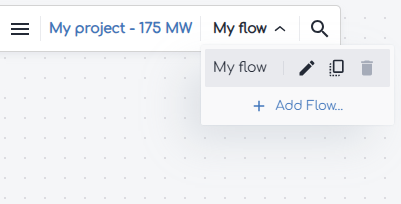
- From within your gridmo project, open the flow dropdown and select 'Add flow'.
- Select the template you want to use and click 'Add to project'.
Background
This template is designed for use when configuring the control system settings of your generating system. This template is a useful tool for engineers to help choose control system settings.
Before using this template, ensure that the Model Setup template is completed and the generating system model is correctly responding to reference step changes.
This template allows the engineer to iterate over a configurable range of control system gains to assist with setting selection. The following tests are included:
- Fault response
- Active power control
- Voltage control
- Reactive power control
- Power factor control
The intent of these tests is that the engineer specifies the different combination of control system gains that they want to test and gridmo will loop through executing the simulations with different settings and report back with an overlay plot showing the relative performance of the different settings and also a table of key performance metrics which can be used to guide setting choice.
It is imperative that the control system settings proposed by the engineer are valid and have been verified by the OEM for implementation in the real world control system. For each tuning test, please confirm with the OEM which settings are appropriate to modify.
Reference
Common assumptions
- Performance metrics measured at point of connection (not generating unit terminals).
- Given the time required to run simulations and the fact that the tuning template iterates over many generating system settings, it is most efficient to complete most tuning in PSS®E and PowerFactory. Fault response tuning is carried out in PSCAD™ (by default), as it provides the most accurate metrics for this type of test. PSCAD™ simulations are disabled by default for the other tests to enable faster iteration during settings adjustments.
Fault response
The purpose of this test is to help tune the generating system's response to faults.
This template focuses on adjusting the K‑factor, which is the reactive current injection gain applied during over voltage and under voltage conditions. Other important fault optimisation settings can be added to the template if required, such as low and high voltage thresholds, voltage error deadbands for thresholds, and similar parameters.
| Parameter | Description |
|---|---|
| K | Inverter gain for reactive current injection during fault [p.u.] |
- Balanced faults only. Unbalanced faults and overvoltage conditions are not assessed.
- Fixed fault duration (set to 120 ms).
- Fault depth set to residual voltage 0.2 p.u and 0.75 p.u.
- Performance metrics of interest are Iq rise time and active power recovery. The template will need to be adapted if other performance criteria are important for your project.
- Rise time: calculated from 10% to 90% of the final value, where the final value is defined as the mean of the last 5% of the Iq signal before fault clearance.
- Active power recovery: calculated as time for the active power to recover to 95% of the pre-fault value.
Active power control
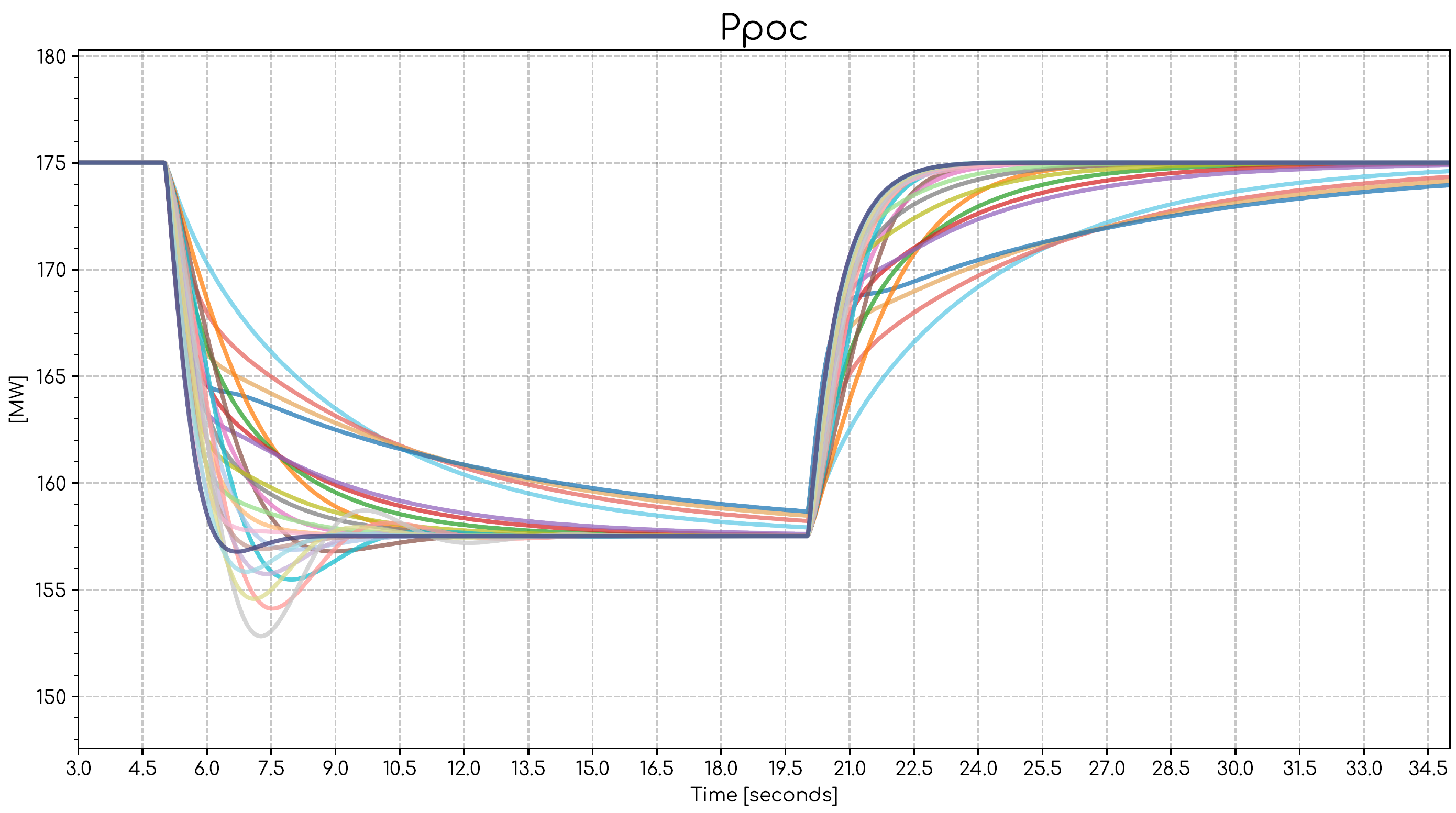
The purpose of this test is to help tune the generating system's active power response. Please select the settings that are appropriate to tune for your test. In this example, the power plant controller active power response settings are adjusted.
| Parameter | Description |
|---|---|
| Kp | Plant level proportional gain for active power control [p.u./p.u.] |
| Ki | Plant level integral gain for active power control [p.u./p.u.] |
The duration of this test may need to be increased for large generating systems that cannot meet the active power setpoints in a short time frame due to active power ramp rate constraints.
In this series of tests there is no iteration of the system strength (SCR, XR) as it has no impact on the active power response. This template is configured to only run at minimum SCR conditions.
Voltage control
The purpose of this test is to help tune the generating system's response to voltage reference steps. The template has been set up to run at both minimum and maximum SCR as the generating system's response time will be influenced by the strength of the network. The settling time of the point of connection voltage is recorded for each voltage reference step.
In this example, the power plant controller voltage response settings are adjusted.
| Parameter | Description |
|---|---|
| Kp | Plant level Volt/VAR regulator proportional gain [p.u./p.u.] |
| Ki | Plant level Volt/VAR regulator integral gain [p.u./p.u.] |
Reactive power control
The purpose of this test is to help tune the generating system's response to reactive power reference steps. As with voltage control, the template runs at both minimum and maximum SCR as the generating system's response time will be influenced by the strength of the network. The settling time of the point of connection voltage is recorded for each reactive power step.
In this example, the power plant controller reactive power response settings are adjusted.
| Parameter | Description |
|---|---|
| Kp | Plant level Volt/VAR regulator proportional gain [p.u./p.u.] |
| Ki | Plant level Volt/VAR regulator integral gain [p.u./p.u.] |
Power factor control
The purpose of this test is to help tune the generating system's response to power factor reference steps. As with voltage control, the template runs at both minimum and maximum SCR as the generating system's response time will be influenced by the strength of the network. The settling time of the point of connection power factor is recorded for each power factor reference step.
The WECC solar model does not support power factor control; therefore, there are no configurable settings in this example that alter the generating system response. A place holder for the settings changes has been included in the PSS®E, PSCAD™ and PowerFactory nodes for this test.
Version 1 | 03 March 2026
- First release.