Error 266 | [PSCAD™] | Disabled module parameters detected
Relevant software:
Emitted message:
Please open the PSCAD workspace in PSCAD v5.1+ and select values for each disabled module parameter. (The engine could not automatically migrate your project to PSCAD v5.1 - the 'disabled module parameter' may need to be set. Please open this workspace in PSCAD v5.1 and select either `Default` or `Zeros` on the popup - then save your workspace and relaunch this simulation.)
Description:
This error indicates that:
- You are migrating a project from PSCAD™ v5.0 to PSCAD™ v5.1+;
- You haven't opened and saved this project in PSCAD™ v5.1;
- One or more modules (which may include smiby and/or termy) have disabled module parameters which need to be configured.
MHI changed this from a PSCAD™ build warning into a PSCAD™ build error in v5.1.0.
PSCAD™ v5.1+ requires all disabled module parameters to specify values to pass through to their corresponding input tag.
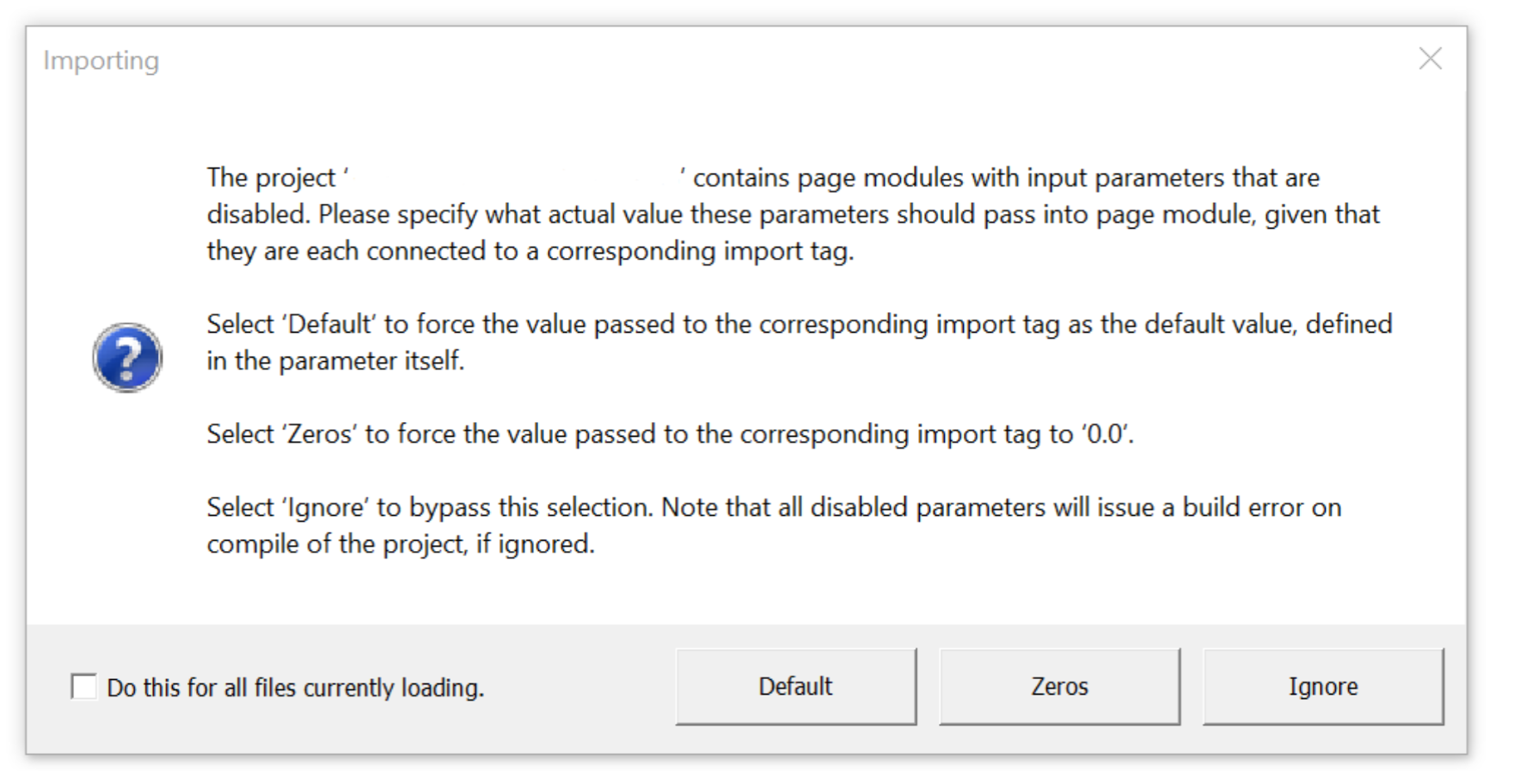
See page 3 of this document released by PSCAD™ for details
You may encounter this error if you are using an older version of gridmo's smiby and/or termy blocks.
The gridmo Engine will automatically set the Default option for all gridmo-designed schematics when the PSCAD™ simulation is running.
However, the gridmo Engine will not set any value for other canvases/schematics in your workspace (as depending on the design of your module, the selection may impact the results of your simulation).
Potential fixes:
To resolve this error, complete the following:
1. Migrate the workspace to PSCAD™ v5.1+
- Open the workspace in PSCAD™ v5.1+
- You will receive a popup asking you to select values for each disabled module parameter (similar to the above).
- Select either
DefaultorZeros. Do not selectIgnoreas this will not resolve the build error(s). - Save the workspace and all case files.
- Re-open the workspace in PSCAD™ v5.1+ and confirm the popup no longer appears.
- Re-run the simulation.